


Recherche dans le blog
Water Softeners
What is a water softener used for?
- What is a water softener?
- Why should you remove limescale from water?
- Does this affect me? Do I need a water softener?
- Is installing a water softener complicated?
- How do I adjust my water softener?
- What comes next?
- Reason No. 1: Rediscover the true feel of water on your skin
- Reason No. 2: Protect your pipes and your wallet
- Reason No. 3: Protect your household appliances
- Reason No. 4: Stop using excessive amounts of cleaning products
The impact of limescale on your bills
How do you choose your water softener?
The different types of water softener valves
TUTORIAL: Connecting your water softener to the water supply
VIDEO: Installing your water softener
- The different buttons on the water softener valve
- Programming your water softener
- Manually regenerating your water softener
Recommendations before installing a water softener
- Choosing the right location for your water softener
- Thoroughly checking your water softener before installation
- A minimum pressure is required
- Protecting your water softener
- Tools for installing your water softener
- Accessories for installing your pre-filter
Water softener diagram and components
- Water softener installation diagram
- The different components of a water softener
- How a water softener works
- The regeneration process
- Where should you install a water softener?
Setting Up Your Water Softener and Its Electromechanical Valve
To set up the electromechanical valve on your water softener correctly, please follow this tutorial carefully.
You will also find the user manual on the product page for our water softeners.
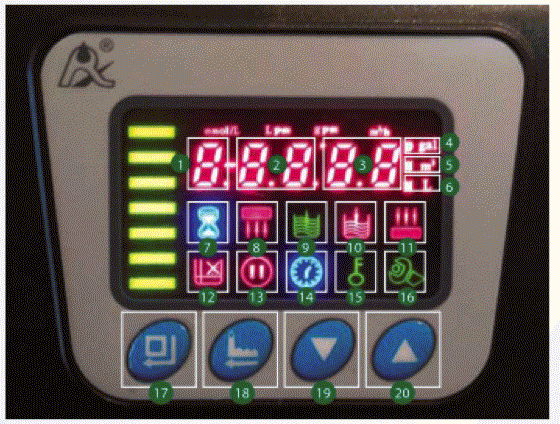
The different buttons on your water softener valve
When you connect the valve, all the symbols on the display light up. Here is what the different icons and buttons mean.
 |
|
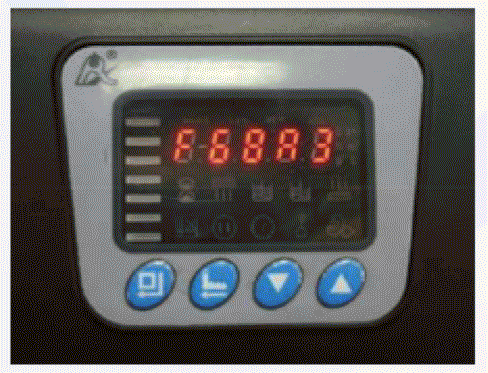
A few seconds later, the valve model appears:
Start by unlocking your display.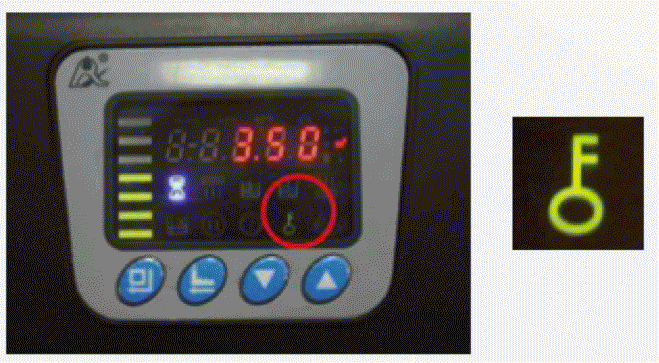
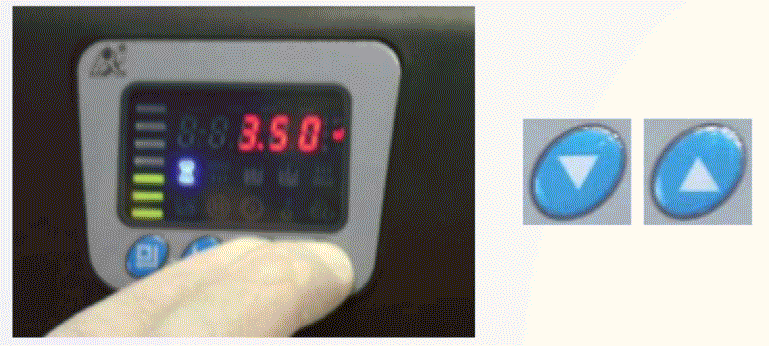
To do this, press both arrows at the same time for 5 seconds.
Programming your water softener
1. First, set the time on your water softener. Press the Menu button. The programming symbol lights up, indicating that the valve is in programming mode.
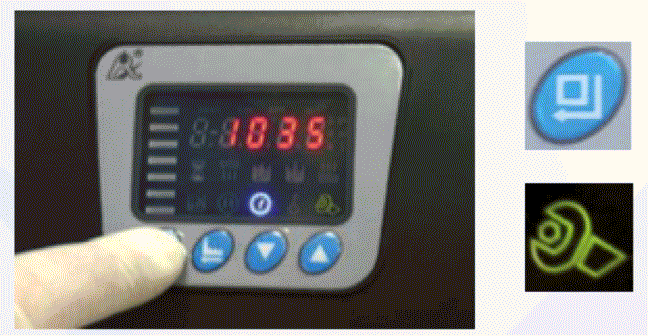
Press “MENU” again to change the time. The hour digit flashes. Use the “UP” and “DOWN” buttons to set the clock to the current time.

Press the “MENU” button again, and the minute digits will flash. Change the digits in the same way.
Press “MENU” again to confirm. The valve will beep and the display will stop flashing. The time has been set correctly.
2. Next, program your water softener's regeneration mode. To do this, press the “DOWN” button to go to the next step.

3. The operating mode appears on the display:
- A-01 = Delayed regeneration: This means that your water softener waits to regenerate at the programmed time once the selected number of liters of water to be softened has passed through it.
This mode is selected by default on OJA water softeners.
You can also select:
- A-02 = Immediate regeneration: In this case, regeneration will take place as soon as the number of liters of water to be softened has passed through your water softener, regardless of the time.
- Modes A-03 and A-04 are not available on our water softeners but offer little benefit.
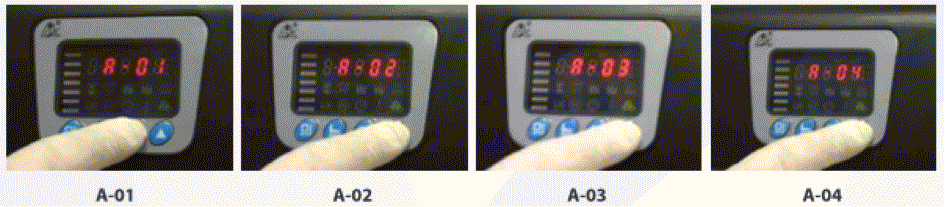
To select your preferred option, press the “MENU” button and use the “UP”/ “DOWN” buttons to select your preferred operating mode, then press the “MENU” button again to confirm your selection.


4. Next, set the valve's units of measurement. To do this, press the “DOWN” button and the units of measurement appear.
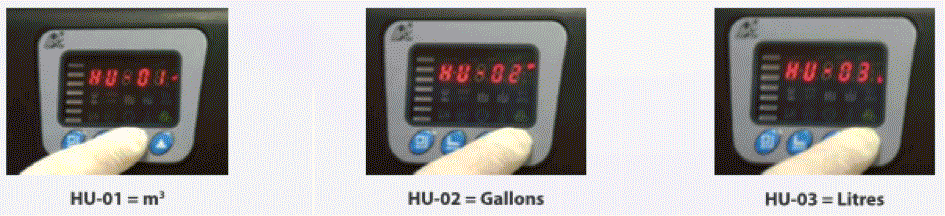
Mode HU-01 is selected by default on OJA water softeners.
Select your preferred option using the “UP”/ “DOWN” buttons and press “MENU” to confirm.

5. Next, set your preferred regeneration time. To do this, press the “DOWN” button again, and the regeneration time appears.
On OJA water softeners, this time is set to 2 a.m. by default.
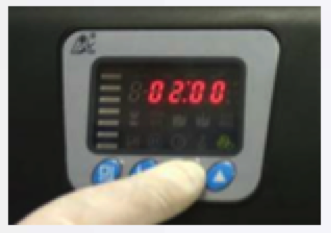
You can change the regeneration time by pressing the “MENU” button. The hour digits flash, and you can select your preferred hour using the “UP”/ “DOWN” buttons. Follow the same procedure to select the minutes and confirm with the “MENU” button.
6. To confirm the backwash interval between regenerations, press “DOWN” again and F-00 appears. We recommend leaving this value unchanged. F-00 indicates that your water softener will perform a backwash every time it regenerates, which is the recommended option.
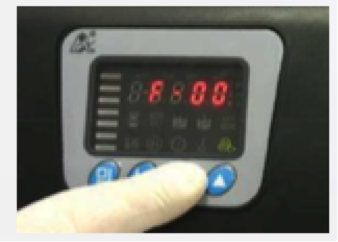
7. To set the volume of water between regenerations, press “DOWN” again.
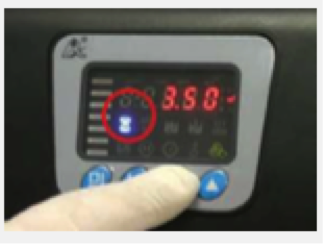
The formula for calculating this volume is: Resin volume x 5,000 / TH
To check your calculation, refer to this table:
|
HARDNESS |
°f |
10 |
15 |
20 |
25 |
30 |
35 |
40 |
45 |
50 |
|
3 liters of resin |
L |
1,500 |
1,000 |
750 |
600 |
500 |
430 |
375 |
330 |
300 |
|
5 liters of resin |
L |
2,500 |
1,670 |
1,250 |
1,000 |
835 |
715 |
625 |
555 |
500 |
|
10 liters of resin |
L | 5,000 | 3,335 | 2,500 | 2,000 | 1,670 | 1,430 | 1,250 | 1,110 | 1,000 |
|
14 liters of resin |
L | 7,000 | 4,675 | 3,500 | 2,800 | 2,350 | 2,000 | 1,750 | 1,575 | 1,400 |
|
20 liters of resin |
L | 10,000 | 6,665 | 5,000 | 4,000 | 3,335 | 2,860 | 2,500 | 2,220 | 2,000 |
|
22 liters of resin |
L | 11,000 | 7,350 | 5,500 | 4,400 | 3,675 | 3,150 | 2,750 | 2,450 | 2,200 |
|
25 liters of resin |
L | 12,500 | 8,335 | 6,250 | 5,000 | 4,170 | 3,570 | 3,125 | 2,780 | 2,500 |
|
30 liters of resin |
L | 15,000 | 10,000 | 7,500 | 6,000 | 5,000 | 4,300 | 3,750 | 3,350 | 3,000 |
|
35 liters of resin |
L | 17,500 | 11,670 | 8,750 | 7,000 | 5,835 | 5,000 | 4,375 | 3,890 | 3,500 |
|
37 liters of resin |
L | 18,500 | 12,335 | 9,250 | 7,400 | 6,170 | 5,285 | 4,625 | 4,110 | 3,700 |
NOTE: The following steps (shown on the controller as 2, 3, 4, and 5) correspond to the 4 regeneration cycles. To move to each next step, confirm by pressing the “DOWN” button successively.
Set your water softener to the times in the following table:
|
LITERS OF RESIN |
1st cycle (STEP 2) |
2nd cycle (STEP 3) |
3rd cycle (STEP 4) |
4th cycle (STEP 5) |
| 3 liters | 1'00" | 10'00" | 1'00" | 2'00" |
| 5 liters | 1'00" | 11'00" | 1'00" | 2'00" |
| 10 liters | 1'00" | 16'00" | 1'30" | 2'30" |
| 14 liters | 1'30" | 20'00" | 2'00" | 3'00" |
| 20 liters | 2'00" | 28'00" | 3'00" | 4'00" |
| 22 liters | 2'00" | 29'00" | 3'30" | 4'00" |
| 25 liters | 2'30" | 30'00" | 4'00" | 4'00" |
| 30 liters | 3'00" | 31'00" | 4'30" | 4'00" |
| 35 liters | 3'00" | 32'00" | 5'00" | 4'00" |
Allow for 5 to 8 liters of water per liter of resin during regeneration.
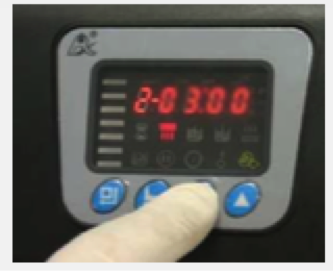
8. Step 2: First cycle – Backwash: Indicates the backwash duration in minutes and seconds. Press “MENU” to set it according to the reference table using the “UP” and “DOWN” buttons. Once your preferred value is set, press “MENU” to confirm.
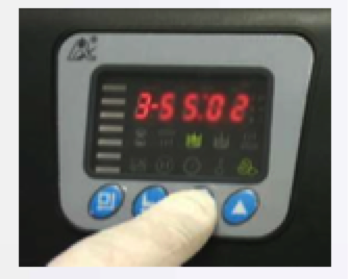
9. Step 3: Second cycle – Brine draw: Indicates the backwash duration in minutes and seconds. Press “MENU” to set it according to the reference table using the “UP”/ “DOWN” buttons, then confirm with the “MENU” button.
10. Step 4: Third cycle – Water refill: Indicates when water refills the salt tank so that, during the next regeneration, your water softener has the brine needed for the second cycle of the following regeneration.
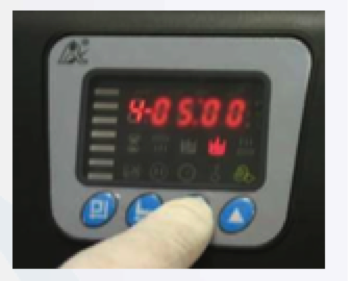
To set the time according to the table, press “MENU” and adjust the minutes and seconds using the “UP”/ “DOWN” buttons, then confirm with the “MENU button
11. Step 5: Fourth cycle – Fast rinse: Indicates the duration of the rinse that removes any salt residue from the resin tank. Press “MENU” and adjust the minutes and seconds using the “UP”/ “DOWN” buttons. Once programmed, confirm with the “MENU” button.
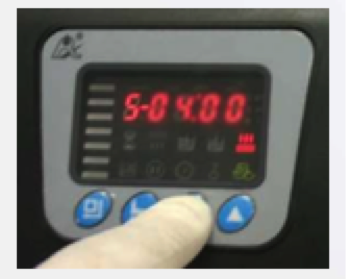
12. Maximum time between regenerations: This option is useful when you are away for a long time because it enables your resin to be regenerated every 15 (H-15) or 30 (H-30) days anyway.
On OJA water softeners, this setting defaults to 30 days.
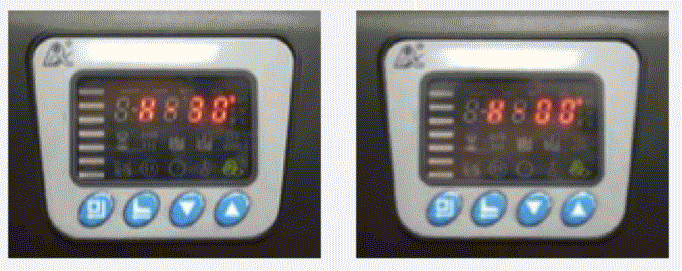
You can change it by pressing the “MENU” button and using the “UP” and “DOWN” buttons, then confirming with “MENU”.
If you select H-00, regeneration will take place according to the selected number of liters, regardless of the time elapsed.
13. Finally, b-01 appears. This indicates the auxiliary output programming for connection to:
- Pump
- Additional solenoid valve during rinsing
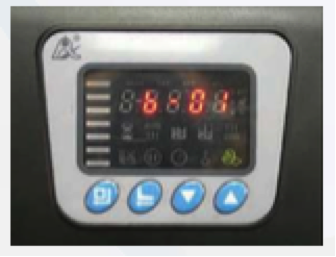
This option is useful in installations with insufficient pressure or an external bypass. You can change the option to b-02. This indicates the auxiliary output programming for connecting the additional depressurization solenoid valve during repositioning of the ceramic disk.
We recommend keeping option b-01 and confirming by pressing “MENU”.
When finished, press “DOWN” to return the display to its initial screen. The current time appears. Once the valve is programmed, open a faucet at the installation site (the one closest to your water softener) and leave it running for about two minutes to remove the residue released by the resin (yellow color).
Your installation is complete. All that remains is to enjoy the benefits of your new water softener.
For future reference, we invite you to learn how to manually regenerate your water softener.
- Published on
- Water Softeners
Related products
Related blog posts
>-

The Different Types of Water Softeners
Hard water wreaks havoc on pipes and household...
-

Connecting Your Water Softener to the Water Supply
This guide enables you to install your OJA water...
-

Manually Regenerating Your Water Softener
Sometimes you need to start your water softener's...
-
The Different Types of Water Softeners
Hard water wreaks havoc on pipes and household...
-
Connecting Your Water Softener to the Water Supply
This guide enables you to install your OJA water...
-
Manually Regenerating Your Water Softener
Sometimes you need to start your water softener's...