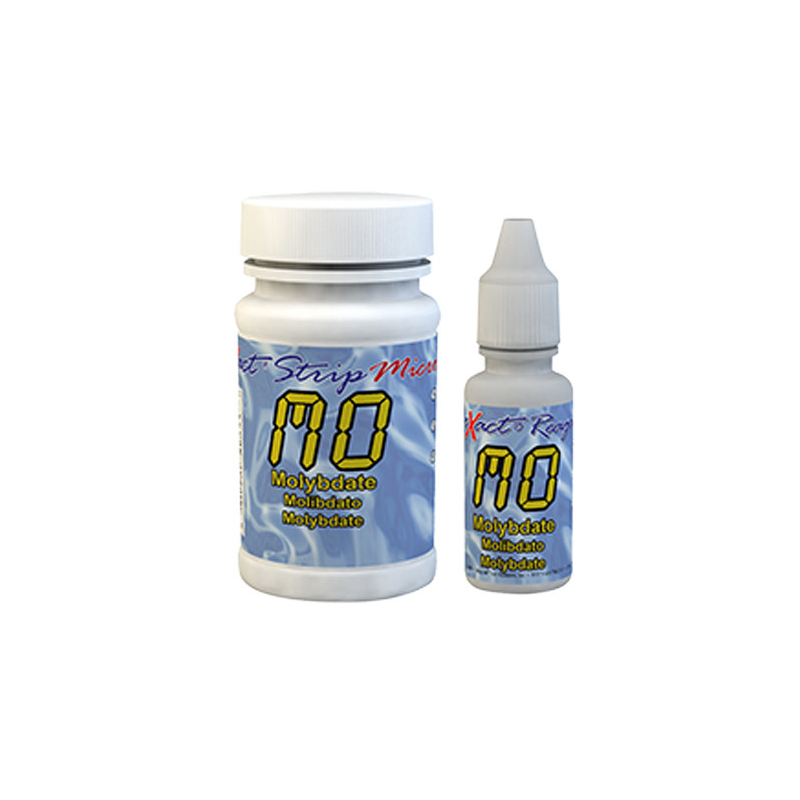
Molybdate is a chemical compound containing the molybdate ion, derived from molybdic acid. Molybdate is mainly used in the form of salts, such as sodium molybdate, in various industrial and chemical applications.
Molybdate can be found in water for several reasons:
Industrial effluent : Industries that use molybdate in their manufacturing processes may discharge this compound into wastewater. These include the chemical, metallurgical and surface treatment industries.
Agricultural fertilizers : Molybdate is used as a micronutrient in some agricultural fertilizers. Runoff from agricultural land can carry molybdate into waterways and groundwater.
Material corrosion : Corrosion inhibitors containing molybdate are used in cooling systems and heating circuits to protect pipes and other metal equipment. A leak or accidental discharge can introduce molybdate into water.
Test molybdate in water with an iDip or Micro20 photometer
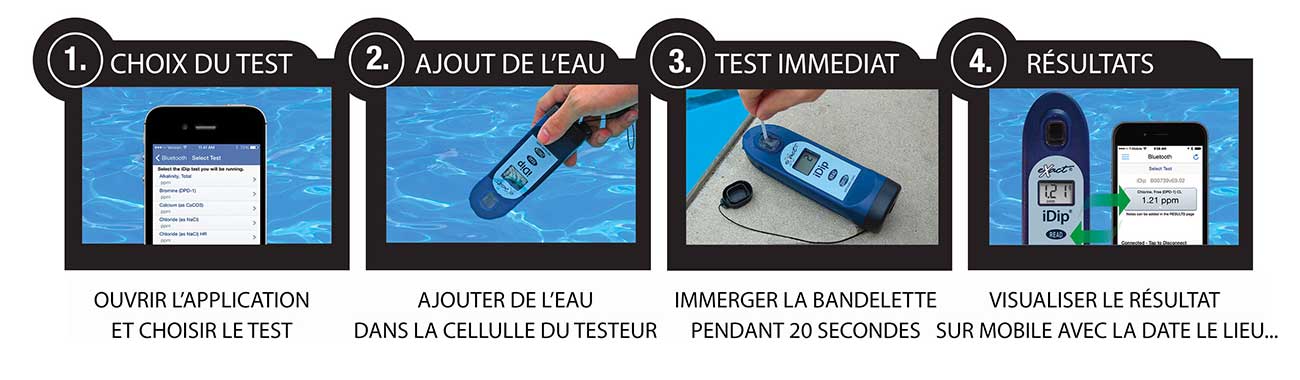
Testing procedure with the iDip photometer
These strips and reagents let you measure molybdate in your water using the IDIP photometer. It is very simple to use:
1. Open the app on your mobile phone and turn on the photometer.
2. Add water to the tester's designated test cell
3. Place the strip in the water for 20 seconds
4. View the result directly on the photometer. The result is automatically saved to your phone.
This water testing system is fast, reliable, modern, expandable and comprehensive. It is THE most accessible system.
Testing procedure with the Micro20 photometer
TURN ON THE DEVICE - Turn on the photometer by pressing the ON/ZERO button. The screen will show all indicators, then the selected menu, then the most recent results.
SELECT THE GROUP AND PARAMETERS - Press the SELECT button repeatedly to choose the group: the molybdate test is in group 2. Then press the MENU button repeatedly to select the test parameters: Mo. (You will find all this information in a table in the user manual supplied with the device).
RINSE AND FILL THE TEST CELL - Rinse the test cell at least 3 times with the water you are going to test (to reduce the risk of cross-contamination from your previous test). Fill the small cell completely with the water to be tested, then tilt the photometer to pour out about 0.2 ml of water from the cell to make room for the liquid reagent.
ADD THE DROPS - Add 4 drops of the liquid reagent and cover the test cell with its protective cap. Note: make sure the bottle is upright when you add the drops.
ZERO - Press the ON/ZERO button. The cursor will move across the screen, then 0.00 PPM will appear. This indicates that the sample is ready to be tested.
DIP THE STRIP AND PRESS READ - Take a strip, dip it into the test cell, and immediately press the READ button to start the 20-second countdown. Remove the strip after "1" disappears from the screen. The photometer will automatically start the analysis. The result will appear within a few seconds.
https://www.josmose.fr/en/water-analysis/water-tester/molybdate-water-diy-test260Molybdate in Water - DIY Test<p><span lang="fr">This kit for <strong>50 tests</strong> lets you check for the presence of <strong>molybdate</strong> in your <strong>water</strong>. A quick and easy test, with results as accurate as those from laboratory testing.</span></p>
<p><b><span lang="fr">Please note</span></b><span lang="fr">, this test kit works only with one of the following photometers from the eXact range: <a href="/en/water-analysis/water-tester/idip-water-testing-photometer?search_query=photometre&results=56#/photometre_idip-photometre_idip_seul"><strong>iDip</strong></a> and <a href="/en/water-analysis/water-tester/exact-micro-20-photometer"><strong>Micro20</strong></a>.<span style="text-decoration: underline;"></span></span></p>
<p></p>https://www.josmose.fr/1049-home_default/molybdate-water-diy-test.jpg20.9instock20.917.4167002019-02-26T13:54:28+0100/Water Testers/Water Testers/iDip Photometer Tests/Water Testers/Micro20 Photometer Tests